Operating a Many-camera Real-time Tracking System
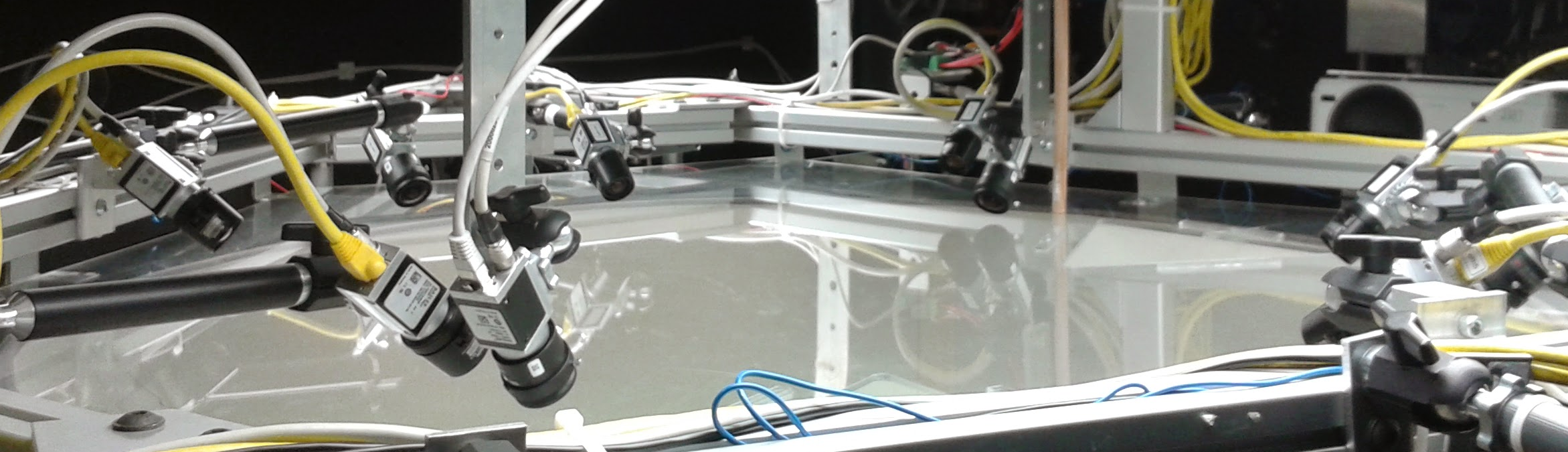
The experimental apparatus I work on - and systems like it - asks something fairly unreasonable of a commodity Linux box: stream from a handful of cameras simultaneously, process every frame, and close a control loop around the result, all in real time and all without dropping the frames you most wanted to keep. A desktop kernel left at its defaults will not do this happily. Over the last couple of years I have accumulated a small collection of tweaks and patterns that make the difference between a system that tracks reliably and one that stutters, and I am writing them down here mostly so that I can find them again.
None of them are exotic. They are simply the handful of knobs that start to matter once you have more than one or two cameras feeding a latency-sensitive process.
Network buffers
The GigE Vision cameras we use will cheerfully flood the network interface, and the kernel’s default socket buffers are nowhere near large enough to absorb the bursts. The first symptom is intermittent, inexplicable frame loss that gets steadily worse as you add cameras. We have been running our systems with the increased buffer size as suggested by Tom, and this gave a good and immediate improvement.
On some systems I had to increase net.core.rmem_default and net.core.rmem_max; Point Grey
document the exact values and the reasoning in this technical note
.
It is worth applying these through /etc/sysctl.conf so that they survive a reboot, rather
than rediscovering the problem from first principles three months later.
Process scheduling
Once the data is arriving, the next problem is making sure the process that receives it is not starved by everything else happening on the machine. For another performance boost I suggest adjusting the nice level and scheduling priority of the process which receives the camera data, so that the scheduler treats incoming frames as the most important thing the machine is doing - because they are.
By default a non-root process is not permitted to do this. You might need to adjust
/etc/security/limits.conf to allow non-root owned processes to raise their nice-ness and
scheduler priority. This is far preferable to the obvious-but-wrong shortcut of running the
entire acquisition stack as root.
Deterministic addressing
With a single camera you can get away with almost anything. With many GigE cameras you very quickly want each one to come up at a known, fixed address, so that your software can find them deterministically and so that a power cycle does not reshuffle the whole arena. Rather than configuring each camera by hand, I run a small static DHCP server - staticdhcpd - that hands out a fixed lease per MAC address. The cameras boot, ask for an address, and always get the same one.
Camera software
Finally, a note on software. The vendor SDKs are capable but proprietary, and they are not always a comfortable fit for an open, reproducible, Python-heavy stack. For GigE Vision and GenICam cameras the open-source Aravis library is well worth knowing about; it speaks the standard protocols directly, has a sensible API, and - being GObject-introspectable - drops straight into the kind of Python tooling we already use. It will not replace the vendor SDK for every camera, but for the common case it removes a proprietary dependency from the critical path.
There is nothing clever in any of this. It is mostly a matter of telling the kernel that you meant it about real time, and telling the cameras where to stand. But collectively these few changes are the difference between an apparatus that runs an experiment for six hours without complaint and one that quietly drops the single frame you most wanted to keep.